Top 27 Sales Prospecting Tools to Get More Leads in 2026
Sales prospecting tools are software platforms that help sales teams find, qualify, and engage potential customers. These tools span multiple categories, like B2B contact databases, LinkedIn prospecting extensions, email outreach platforms, sales engagement tools, and scheduling software. Sales teams use prospecting tools to build targeted lead lists, verify contact information, automate outreach sequences, and track engagement metrics.
B2B contact databases like Cognism, BookYourData and ZoomInfo provide access to millions of verified business contacts with email addresses, phone numbers, and company data. LinkedIn prospecting tools such as Sales Navigator and Kaspr help sales reps identify decision-makers and extract contact details from professional profiles. Email outreach platforms including Mailshake and Reply.io automate cold email campaigns with personalization and follow-up sequences.
Sales engagement platforms like Outreach and Salesloft combine multi-channel outreach with analytics and coaching features for enterprise sales teams. Meeting schedulers such as Calendly remove friction from the booking process by allowing prospects to self-schedule appointments. Conversation intelligence tools like Gong analyze sales calls to identify winning patterns and coaching opportunities.
The table below gives a comparison of the top sales prospecting tools in 2026.
What are the top sales prospecting tools in 2026?
The top sales prospecting tools to get more leads include LinkedIn Sales Navigator, BookYourData, Apollo.io, Cognism, ZoomInfo, Kaspr, Lusha, D&B Hoovers, Dealfront, Hunter.io, Snov.io, LeadIQ, Saleshandy, Outreach, Salesloft, Mailshake, 6Sense, Crunchbase, Pipedrive, HubSpot Sales Hub, Calendly, RocketReach, Gong, UpLead, Reply.io, Klenty, and BuiltWith.
Top sales prospecting tools to get more leads in 2026 are listed below.
- LinkedIn Sales Navigator: LinkedIn's prospecting tool with 1B+ member profiles and advanced search filters.
- BookYourData: B2B contact database with 250M+ verified contacts, 97% accuracy guarantee, and pay-as-you-go pricing model.
- Apollo.io: All-in-one sales platform with 275M+ contacts, built-in email sequencing, and CRM integrations.
- Cognism: European-focused B2B database with Diamond Data phone-verified mobile numbers and GDPR compliance.
- ZoomInfo: Enterprise sales intelligence platform with 600M+ professional profiles and intent data signals.
- Kaspr: LinkedIn Chrome extension for extracting contact data with 500M+ email addresses in database.
- Lusha: B2B prospecting platform with 100M+ contacts and real-time CRM enrichment features.
- D&B Hoovers: Dun & Bradstreet's sales intelligence platform with 500M+ company profiles and buying signals.
- Dealfront: European go-to-market platform with website visitor identification and GDPR-compliant data.
- Hunter.io: Email finder and verification tool with domain search feature and 100M+ indexed emails.
- Snov.io: Email outreach platform combining lead generation, verification, and drip campaign automation.
- LeadIQ: Sales prospecting tool with one-click CRM sync and AI-powered email generation features.
- Saleshandy: Cold email outreach tool with email tracking, templates, and deliverability optimization.
- Outreach: Enterprise sales engagement platform with multi-channel sequencing and revenue intelligence.
- Salesloft: Sales engagement platform with cadence management, call recording, and coaching analytics.
- Mailshake: Email outreach and sales engagement tool with automated follow-ups and A/B testing.
- 6Sense: AI-powered ABM platform with buyer intent signals and predictive analytics capabilities.
- Crunchbase: Company intelligence platform with funding data, growth signals, and 100M+ company profiles.
- Pipedrive: Visual CRM with sales pipeline management, activity tracking, and automation features.
- HubSpot Sales Hub: CRM platform with email tracking, meeting scheduling, and sales automation tools.
- Calendly: Meeting scheduler with calendar integrations, booking links, and automated reminders.
- RocketReach: Contact database with 700M+ professional profiles and email verification features.
- Gong: Conversation intelligence platform with call recording, deal analytics, and coaching insights.
- UpLead: B2B lead generation platform with 160M+ contacts and 95% data accuracy guarantee.
- Reply.io: AI-powered sales engagement tool with multi-channel outreach and automated follow-ups.
- Klenty: Sales engagement platform with email sequences, call tasks, and LinkedIn automation.
- BuiltWith: Technographic data provider tracking 85,000+ technologies across 673M+ websites.
LinkedIn Sales Navigator

LinkedIn Sales Navigator is a sales prospecting tool built on LinkedIn's 1B+ member network. The platform provides access to advanced search filters, lead recommendations, and account tracking. LinkedIn Sales Navigator integrates with LinkedIn's native messaging for direct prospect outreach. The Relationship Explorer feature surfaces persona-based leads within target accounts. Users receive real-time alerts for job changes, company news, and content engagement.
Best for
LinkedIn Sales Navigator works best for B2B sales professionals, enterprise sales teams, recruiters, and account-based marketing teams. Organizations with long sales cycles benefit from the relationship tracking features.
Pros and cons
Below is the comparison table of the pros and cons of LinkedIn Sales Navigator.
Pricing
The pricing plans of LinkedIn Sales Navigator are listed below.
- Professional Plan: Individual users pay $99.99 a month for this plan. The cost is reduced to roughly $79.99 per month if it is billed annually, for a total of $959.88.
- Team Plan: The pricing starts at approximately $149.99 per user per month when billed monthly. Annual billing reduces the per-user cost to about $125.00 per month or $1,500 annually.
- Enterprise Plan: The pricing of the Enterprise Plan differs depending on the organization's specific needs and requires a custom quote from LinkedIn.
User reviews
Why I picked LinkedIn Sales Navigator?
LinkedIn Sales Navigator provides direct access to 1B+ professionals with verified job titles. The platform is particularly good at relationship-based selling and account-based prospecting.
BookYourData

BookYourData is a B2B contact database platform with 500M+ profiles across 200+ countries. The platform provides 250M+ B2B contacts, 150M+ work emails, 50M+ personal emails, and 50M+ mobile direct dials. All data is GDPR (General Data Protection Regulation) and CCPA (California Consumer Privacy Act) compliant. The database includes 30M+ global companies with 100+ data attributes for filtering by job title, industry, company size, and technographics.
Best for
BookYourData works best for B2B sales, marketing, and professional recruiters. Lead generation specialists benefit from the pay-per-contact model and access to a global database.
Pros and cons
Below is the comparison table of the benefits and drawbacks of BookYourData.
Pricing
BookYourData’s pricing plans are listed below.
- Free Pack: BookYourData’s Free Pack costs $0, provides 10 credits, and requires no credit card or subscription.
- Pay-As-You-Go Packs: The pricing starts at $99 for 250 credits at $0.40 per contact. Volume discounts lower the cost to $0.25 or even less per contact for larger purchases. The credits also never expire.
- 1,000 Credits: $299, Cost per credit: $0.30
- 5,000 Credits: $799, Cost per credit: $0.16
- 10,000 Credits: $999, Cost per credit: $0.10
- 50,000 Credits: $3,699, Cost per credit: $0.07
- 100,000 Credits: $5,499, Cost per credit: $0.05
- 150,000 Credits: $6,699, Cost per credit: $0.04
- 250,000 Credits: $8,699, Cost per credit: $0.03
User reviews
Why I picked BookYourData?
I picked BookYourData for its 97% accuracy guarantee and pay-as-you-go pricing. The combination of 500M+ profiles and credits that never expire makes it cost-effective for teams of all sizes.
[CTA1]
Apollo.io

Apollo.io is a sales intelligence platform with a database of 210 million total global contacts and 35 million total global companies. The platform combines contact data with sales engagement tools in one dashboard. Users are able to filter leads by buyer intent signals, job postings, funding events, and headcount growth. Apollo.io includes email sequencing, a built-in dialer, and LinkedIn outreach from a single interface. The Apollo.io Chrome extension provides real-time data enrichment across websites.
Best for
Apollo.io works best for startups, small to mid-size sales teams, and growth-stage companies. The free tier makes it accessible for early-stage businesses testing sales intelligence tools.
Pros and cons
The table below compares the benefits and drawbacks of Apollo.io.
Pricing
Apollo.io’s pricing plans are mentioned below.
- Free plan: Apollo.io's Free plan costs $0 with 60 mobile credits and 120 export credits per year. This plan includes basic sequencing.
- Basic plan: Costs $49 per user per month (billed annually) with 900 mobile credits per year. The monthly cost of this plan is $59.
- Professional plan: The pricing starts at $79 per user per month (billed annually) with 1,200 mobile credits per year. Its monthly pricing is $99.
- Organization plan: Costs $119 per user per month (billed annually) with 2,400 mobile credits per year and requires a minimum of 3 users. The Organizational plan costs $149 per month (billed monthly).
User reviews
Why I picked Apollo.io?
Apollo.io combines contact data and sales engagement in one platform. The free tier with 900 credits makes it a low-risk start for teams testing sales prospecting tools.
Cognism

Cognism is a B2B sales intelligence platform that offers Diamond-verified data where the team manually calls phone numbers to confirm accuracy. Cognism provides firmographic, technographic, and intent data for building targeted prospect lists. The Prospector tool integrates with CRM platforms for automated list building. All data collection follows GDPR (General Data Protection Regulation) compliance standards.
Best for
Cognism works best for B2B sales teams, revenue operations teams, recruiters, and enterprise organizations. Companies targeting European markets benefit from the GDPR-first data collection approach.
Pros and cons
The table below compares the advantages and disadvantages of Cognism.
Pricing
Cognism’s pricing plans are mentioned below.
- Grow: Grow plan pricing ranges from $1,500 to $10,000 annually, with an access fee of $15,000 and $1,500 per user per year.
- Elevate: Cognism's diamond tier Elevate plan costs $25,000 for access and $2,500 per user per year.
User reviews
Why I picked Cognism?
Cognism is good at providing verified mobile numbers for European markets. The Diamond-verified data reduces wasted calls and improves connection rates for phone-based sales teams.
ZoomInfo

ZoomInfo is an enterprise sales intelligence platform with access to over 100 million published, verified business profiles. The platform provides B2B contact data, buyer intent signals, and company intelligence for go-to-market teams. The platform offers SalesOS for prospecting, MarketingOS for demand generation, and TalentOS for recruiting. ZoomInfo integrates with Salesforce, HubSpot, and Microsoft Dynamics for CRM synchronization.
Best for
ZoomInfo is best for enterprise sales and marketing teams that need large-scale prospecting with buyer intent data. The platform works best for organizations with annual budgets above $15,000 and teams requiring advanced analytics.
Pros and cons
The table below compares the pros and cons of ZoomInfo.
Pricing
ZoomInfo’s pricing plans are outlined below.
- Lite Plan: This plan costs $0 with 10 contact downloads per month and requires Microsoft Outlook or Google Apps for businesses.
- Professional Plan: ZoomInfo’s Professional plan pricing starts at $14,995 per year for 3 users with 5,000 bulk credits. Additional users cost $1,500 each.
- Advanced Plan: The pricing starts at $24,995 per year with 10,000 bulk credits and 1,000 monthly user credits.
- Elite Plan: The Elite plan costs $39,995 per year with 20,000 bulk credits, intent data, and technographics.
User reviews
Why I picked ZoomInfo?
ZoomInfo provides an extensive, detailed B2B database with advanced search, verified contacts, and buyer intent insights that help quickly find the right decision‑makers, prioritize high‑value leads, and simplify outreach.
Also see BookYourData vs ZoomInfo
Kaspr

Kaspr is a LinkedIn-focused prospecting tool that retrieves contact information directly from LinkedIn profiles. The platform provides access to over 500 million phone numbers and email addresses with real-time verification from 150+ data sources. The Chrome extension extracts emails and phone numbers from LinkedIn profiles, groups, and events. Kaspr integrates with Salesforce, HubSpot, and Pipedrive for CRM synchronization.
Best for
Kaspr is best for sales teams and recruiters who rely on LinkedIn for prospecting. The platform helps quickly find and enrich B2B contact details, especially emails and phone numbers, directly from LinkedIn via its Chrome extension.
Pros and cons
Below is the comparison table of Kaspr’s pros and cons.
Pricing
Kaspr’s pricing plans are listed below.
- Free: The Free plan of Kaspr costs €0 and includes 15 B2B email credits, 5 phone credits, and 5 direct email credits.
- Starter: Kaspr’s Starter plan costs €59 per month and offers unlimited B2B email credits, 100 phone credits, and 5 direct email credits. The annual cost of this plan is €45 for unlimited B2B email credits, 1,200 phone credits, and 60 direct email credits.
- Business: The Business plan of Kaspr costs €99 per month and includes unlimited B2B email credits, 200 phone credits, and 200 direct email credits. Its annual cost is €79 per month for unlimited B2B email credits, 2,400 phone credits, and 2,400 direct email credits.
- Enterprise: The Enterprise plan includes custom pricing, unlimited B2B email credits, and unlimited phone credits.
User reviews
Why I picked Kaspr?
Kaspr provides smooth LinkedIn integration and real‑time access to verified B2B contact data, an easy setup, automation, and unified lead management for effective prospecting.
Lusha

Lusha is a B2B sales intelligence platform that provides verified contact data for prospecting and outreach. The platform gives access to 50 million enterprise business profiles and 21 million GDPR-compliant European contacts. The Chrome extension integrates with LinkedIn for one-click contact extraction. Lusha offers buyer intent signals, job change alerts, and CRM integrations with Salesforce, HubSpot, and Pipedrive.
Best for
Lusha is best for small to mid-sized sales teams that need verified contact data with flexible pricing. The platform works best for teams requiring LinkedIn integration and moderate prospecting volumes.
Pros and cons
Below is the comparison table of Lusha’s benefits and drawbacks.
Pricing
Lusha’s pricing plans are mentioned below.
- Free plan: Lusha’s Free plan costs $0 per user per month with 40 credits per month for one user only.
- Pro plan: The Pro plan costs $22.45 per user per month (billed annually) with 3,000 credits per user per year.
- Premium plan: The Premium plan of Lusha costs $52.45 per user per month (billed annually) with 7,200 credits per user per year.
- Scale plan: Lusha’s Scale plan offers custom pricing with unlimited credits under a fair usage policy. Credit usage is 1 credit for each email and 5 credits for each phone number.
User reviews
Why I picked Lusha?
Lusha delivers accessible pricing with strong LinkedIn integration and verified direct dials. Small teams benefit from the free plan and direct credit system.
D&B Hoovers

D&B Hoovers is an enterprise sales intelligence platform powered by the Dun & Bradstreet Data Cloud. The platform provides access to 327 million+ global companies and more than 68 million emails. The platform offers corporate hierarchy views, D-U-N-S number integration, and advanced firmographic data. D&B Hoovers integrates with Salesforce and Microsoft Dynamics for enterprise CRM workflows.
Best for
D&B Hoovers is best for mid-sized to enterprise companies that need corporate hierarchy mapping and account-based marketing data. The platform works best for teams requiring D-U-N-S integration and global company intelligence.
Pros and cons
The table below compares the pros and cons of D&B Hoovers.
Pricing
D&B Hoovers’ pricing plans are discussed below.
- Essentials Monthly: Costs $49 per month for 150 credits
- Essentials Annual: This plan costs $529 per year and provides 1,800 credits.
- Enterprise: D&B Hoovers Enterprise plan offers custom pricing based on seats, data access, and add-ons.
User reviews
Why I picked D&B Hoovers?
D&B Hoovers delivers the industry standard for corporate hierarchy mapping and D-U-N-S integration. Enterprise teams benefit from the Dun & Bradstreet Data Cloud backing.
Read more about D&B Hoovers competitors and alternatives
Dealfront
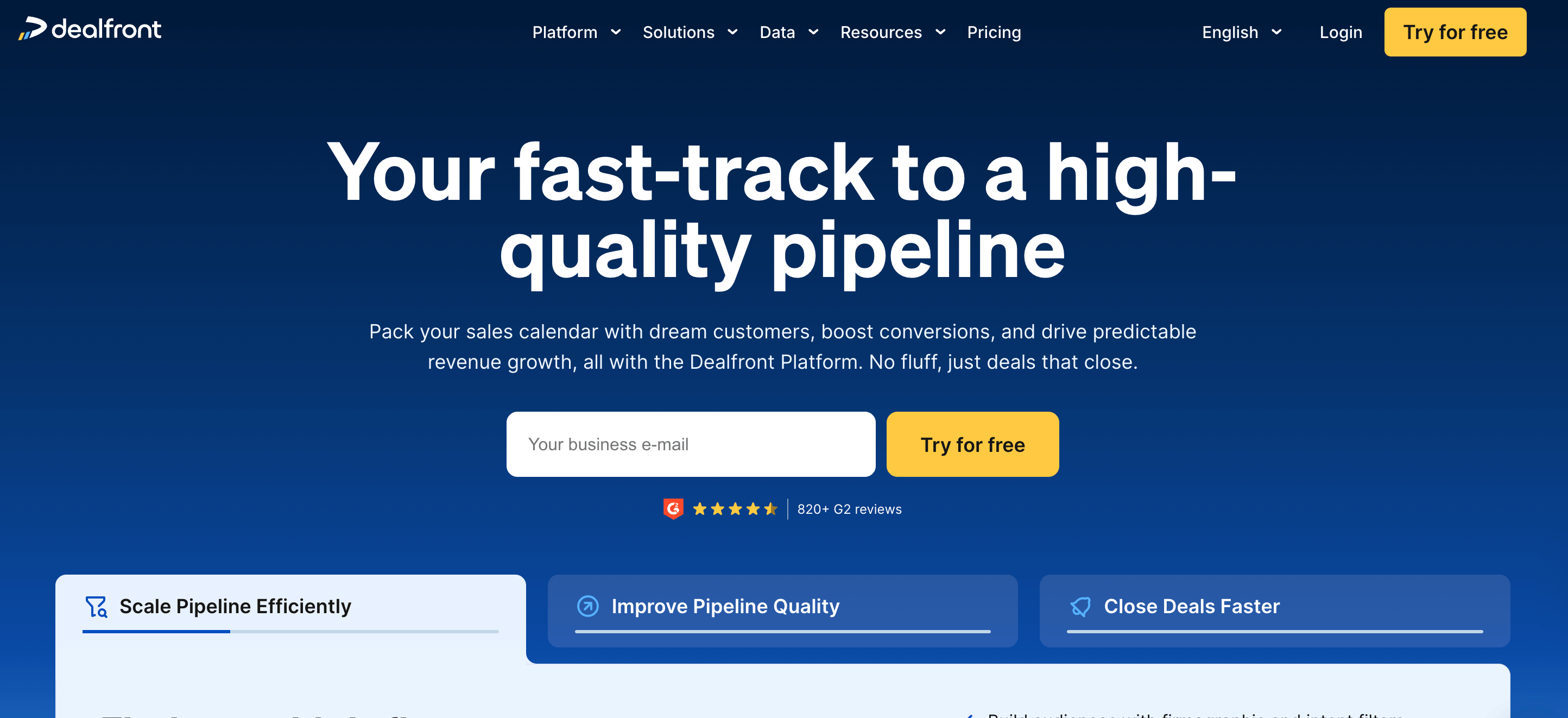
Dealfront is a European go-to-market platform created from the merger of Echobot and Leadfeeder. The platform provides website visitor identification, sales intelligence, and B2B contact data with GDPR-compliant sourcing. The platform offers Target for prospecting, Connect for contact data, Datacare for data enrichment, and Leadfeeder for website visitor tracking.
Best for
Dealfront is best for B2B companies selling into European markets that need GDPR-compliant prospecting. The platform works best for teams requiring website visitor identification combined with sales intelligence.
Pros and cons
Below is the comparison table of Dealfront’s benefits and drawbacks.
Pricing
Dealfront’s pricing plans are outlined below.
- Free: The Free plan costs $0, supports unlimited users, and provides data for up to 7 days with a monthly limit of 100 identified companies.
- Paid: The Paid plan costs $99 per month (billed annually), supports an unlimited number of users, and includes unlimited visit data storage. Pricing is based on the number of companies identified.
User reviews
Why I picked Dealfront?
Dealfront combines website visitor identification with GDPR-compliant sales intelligence. European-focused teams benefit from transparent data sourcing and strong regional coverage.
Hunter.io

Hunter.io is an email finding and verification platform that provides domain search, email finder, and email verification services for sales and marketing teams. The platform offers bulk email finding, cold email campaigns, and a Chrome extension for quick lookups. Hunter.io integrates with Salesforce, HubSpot, Pipedrive, and Zapier for workflow automation.
Best for
Hunter.io is best for sales teams, marketers, and recruiters who need email finding and verification without phone number data. The platform works best for cold email campaigns with domain-based prospecting.
Pros and cons
The table below compares the pros and cons of Hunter.io.
Pricing
Hunter.io’s pricing plans are listed below.
- Free: The Free plan costs $0 and includes 50 credits per month.
- Starter: The Starter plan costs $49 monthly and offers 2,000 credits per month. Its annual cost is $34 per month with 24,000 credits per year.
- Growth: Hunter.io’s Growth plan costs $149 monthly and includes 10,000 credits per month. This plan costs $105 per month if billed yearly and includes 120,000 credits per year.
- Scale: The Scale plan costs $299 per month and offers 25,000 credits per month. The annual cost of the Scale plan is $209 monthly with 300,000 credits per year.
- Enterprise: The Enterprise plan of Hunter.io offers custom pricing, a custom number of credits, and priority support, plus an account manager.
User reviews
Why I picked Hunter.io?
Hunter.io delivers reliable email finding with strong verification accuracy. Sales teams focused on email outreach benefit from unlimited team members and built-in campaign tools.
Snov.io

Snov.io is an all-in-one sales automation platform that combines email finding, verification, and outreach. This platform provides domain search, LinkedIn prospecting, drip campaigns, and CRM functionality. Snov.io offers bulk email verification, email warm-up, and LinkedIn automation as an add-on. Snov.io integrates with HubSpot, Pipedrive, Calendly, and 5,000+ apps through Zapier.
Best for
Snov.io is best for sales teams and agencies that need email finding, verification, and outreach automation in one platform. The tool works best for teams running drip campaigns with multi-channel follow-ups.
Pros and cons
The table below compares the pros and cons of Snov.io.
Pricing
Snov.io’s pricing plans are listed below.
- Starter: The Starter plan is priced at $39 a month, $29.25 a year, or $37.05 for three months.
- Pro-S: The Pro-S plan from Snov.io costs $99 per month, $94.05 for three months, and $74.25 annually.
- Pro-M: The Pro-M plan costs $189 per month, $179.55 for three months, and $141.75 per year.
- Pro-L: The Pro-L plan is priced at $369 per month, $350.55 every three months, and $276.75 annually.
- Ultra: The Ultra plan from Snov.io costs $738 per month, $701.10 for three months, and $553.50 annually.
- Custom Ultra: This plan offers custom pricing and includes unlimited team seats for 200,000 credits and 400,000 recipients.
User reviews
Why I picked Snov.io?
Snov.io gives complete prospecting-to-outreach automation in one platform. Teams benefit from unlimited campaigns, email warm-up, and credits that roll over between billing periods.
See Snov.io competitors and alternatives
LeadIQ

LeadIQ is a sales prospecting platform that captures contact data directly from LinkedIn and web sources. The tool provides verified email addresses, mobile phone numbers, and job change alerts in real time. LeadIQ integrates with Salesforce, HubSpot, Outreach, and Salesloft for direct CRM syncing. This platform uses a universal credit system where one credit equals one verified contact.
Best for
LeadIQ is best for sales development representatives, business development representatives, and account executives who rely on LinkedIn for prospecting. The platform fits mid-market sales teams that need fast contact capture and CRM integration. Agencies and recruiters also use LeadIQ for high-volume lead list building.
Pros and cons
Below is the comparison table of LeadIQ’s pros and cons.
Pricing
The pricing plans of LeadIQ are mentioned below.
- Free: This plan costs $0 and allows one user and 50 credits.
- Pro: The Pro plan costs $15 per month per user.
- Enterprise: The Enterprise plan from LeadIQ includes custom pricing and a custom number of users.
User reviews
Why I picked LeadIQ?
LeadIQ is particularly good at LinkedIn-based prospecting with fast contact capture and direct CRM integration. The job change tracking feature helps sales teams re-engage former champions at new companies and turn warm relationships into fresh opportunities.
Saleshandy

Saleshandy is a cold email outreach platform that combines email automation, lead generation, and deliverability tools. The platform supports unlimited email accounts and unlimited warm-up, which helps maintain sender reputation at scale. Saleshandy includes a B2B lead finder with email verification, sequence automation with up to 26 steps, and a unified inbox for managing replies.
Best for
Saleshandy is best for target sales teams, agencies, and solo founders who run high-volume cold email campaigns. The platform matches businesses that need unlimited email sending accounts without per-seat pricing. Lead generation agencies benefit from the white-label client management portal.
Pros and cons
The table below compares the pros and cons of Saleshandy.
Pricing
The pricing plans of Saleshandy are mentioned below.
- Outreach Starter: $25 per month (billed annually). The monthly pricing of this plan is $36.
- Outreach Pro: Costs $69 per month (billed annually). The monthly pricing of Outreach Pro is $99.
- Outreach Scale: This plan is priced at $139 per month (billed annually). Its monthly billing costs $199.
- Outreach Scale Plus 100k: Costs $150 per month (billed annually). The monthly pricing of this plan is $299.
User reviews
Why I picked Saleshandy?
Saleshandy offers unlimited email accounts and built-in warm-up at an affordable price. The platform matches teams that prioritize cold email at scale without paying per-seat enterprise pricing.
Outreach
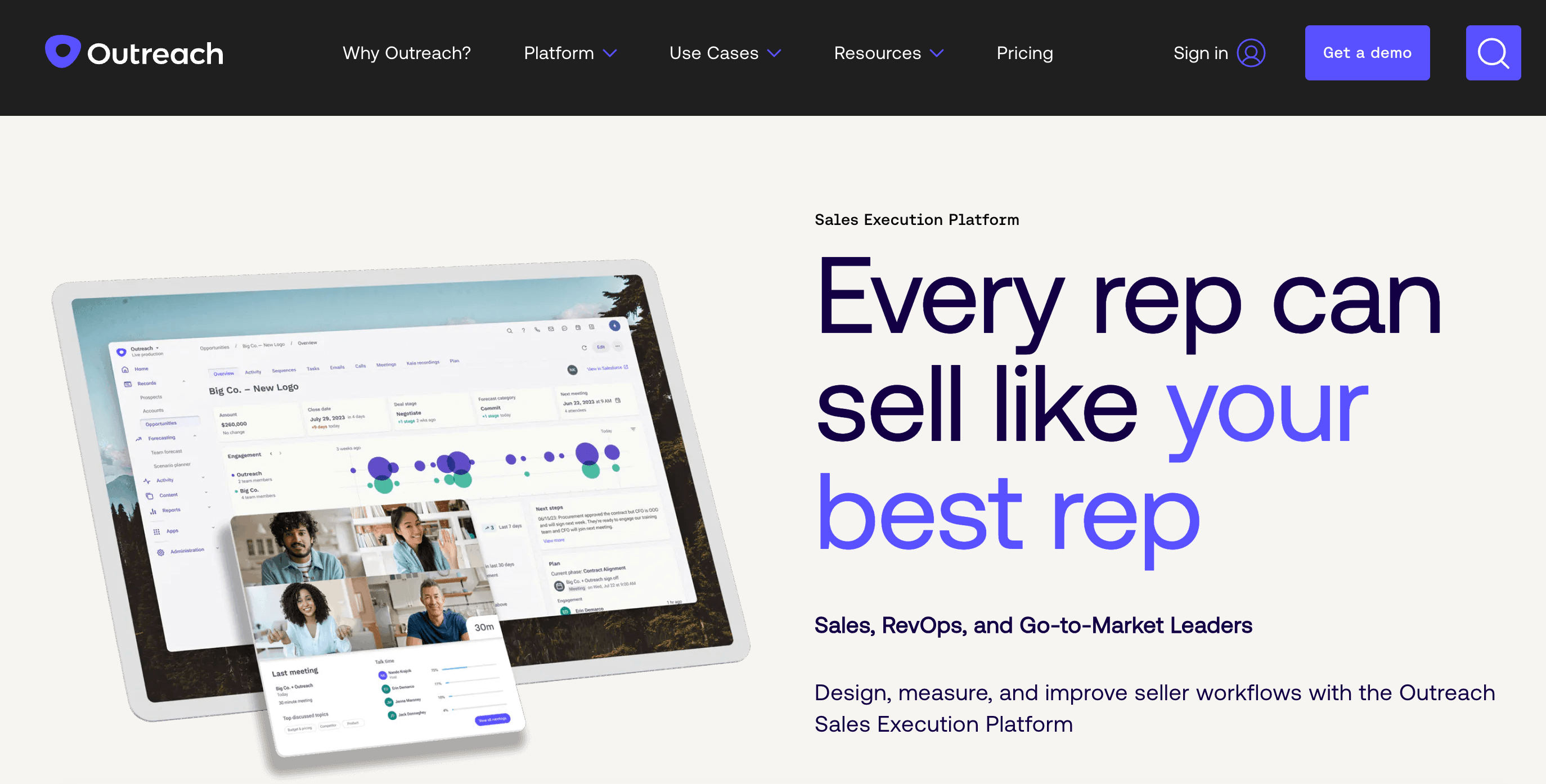
Outreach is an enterprise sales execution platform that combines sales engagement, revenue intelligence, and forecasting. The platform supports multi-channel sequences across email, phone, LinkedIn, and SMS. Outreach uses AI to analyze buyer signals, recommend next actions, and guide representatives through deals. Outreach integrates with Salesforce, HubSpot, Microsoft Dynamics, and 100+ other tools.
Best for
Outreach is best for enterprise sales teams, SaaS companies, and revenue operations leaders who need complete pipeline management. The platform matches organizations with complex sales cycles that require deal intelligence, forecasting, and coaching capabilities with outreach automation.
Pros and cons
Below is the comparison table of Outreach's pros and cons.
Pricing
Outreach is licensed on a per-user basis, and packages are named Engage, Call (Voice Package), Meet, Deal, Forecast, and Amplify. Packages are customized to meet the needs of all of your sales and revenue team members.
Outreach’s Engage negotiated prices are listed below.
- $186k for 120 users with 3 add-ons
- $264k for 180 users with 1 add-on
- $102k for 100 users with 2 add-ons
- $194k for 180 users with 2 add-ons
- $83k for 70 users and 1 add-on
User reviews
Why I picked Outreach?
Outreach provides a complete revenue execution platform for enterprise teams. The combination of multi-channel engagement, AI deal intelligence, and forecasting makes it a match for organizations that need more than basic email automation.
Salesloft
Salesloft is a revenue orchestration platform that combines cadence automation, conversation intelligence, deal management, and revenue forecasting. Salesloft uses AI to prioritize buyer signals and recommend next actions. This platform is used by over 5,000 companies, such as Google, IBM, Shopify, Square, and Cisco.
Best for
Salesloft is best for mid-market to enterprise sales teams that require cadence automation with built-in coaching and analytics. The platform matches revenue organizations that need conversation intelligence, deal tracking, and forecasting in a single system rather than separate point solutions.
Pros and cons
The table below compares the pros and cons of Salesloft.
Pricing
The pricing plans of Salesloft include Advanced and Elite. The negotiated prices of Salesloft Advanced, according to Vendr, are listed below.
- $11k for 10 users with 3 add-ons
- $16k for 10 users with 1 add-on
- $740k for 130 users with 3 add-ons
- $744k for 130 users with 3 add-ons
- $4,000 for 10 users with 1 add-on
User reviews
Why I picked Salesloft?
Salesloft delivers a unified platform for cadence automation, conversation intelligence, and deal management. The native coaching and analytics features help sales leaders identify what works and measure success across teams.
Mailshake
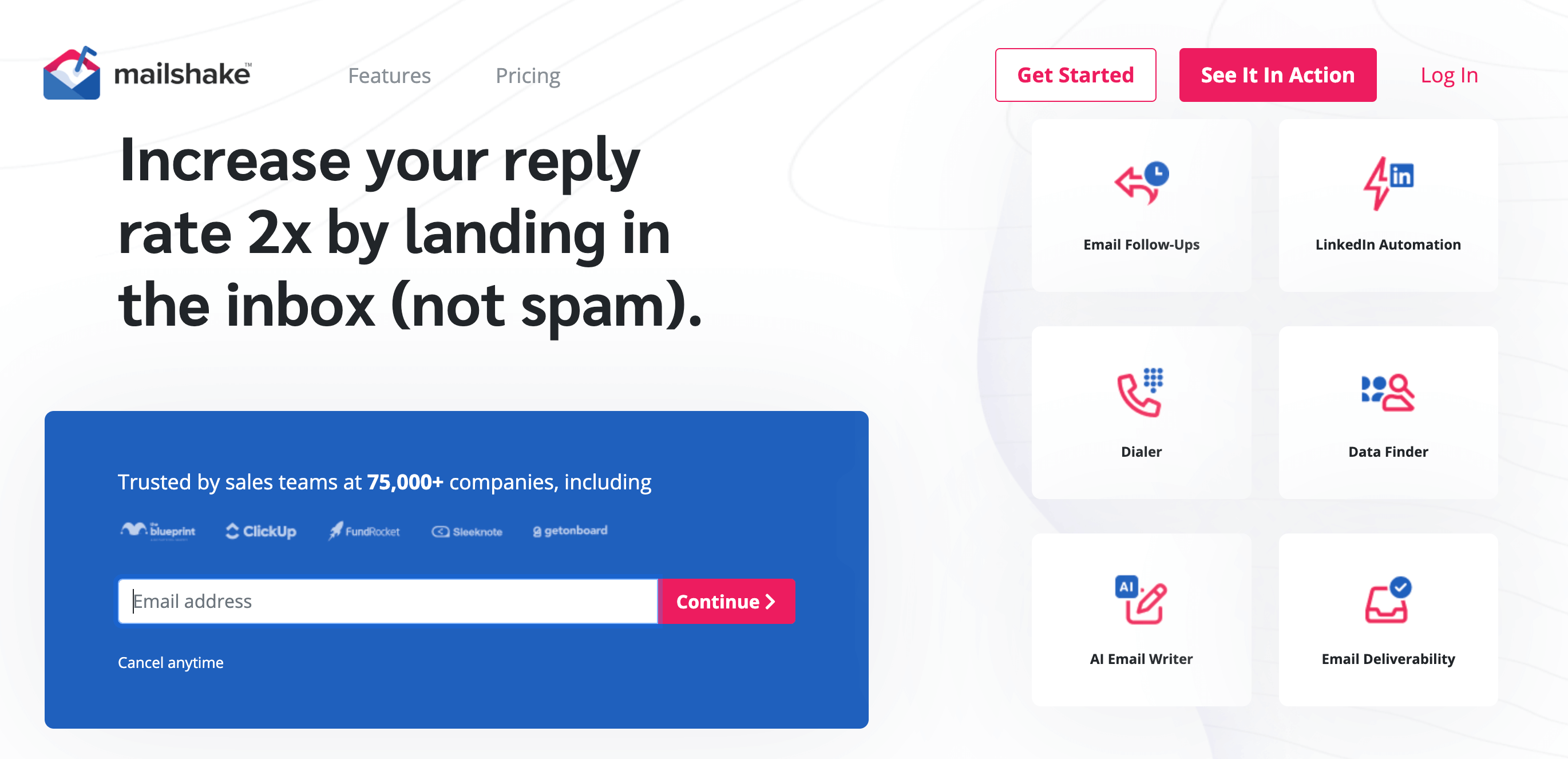
Mailshake is a sales engagement platform that automates cold email outreach and follow-up sequences. Mailshake integrates with Salesforce, HubSpot, and Pipedrive for direct CRM synchronization. The platform includes a Data Finder feature for discovering business contact information by role, location, or company. Mailshake also offers LinkedIn automation and a power phone dialer for multi-channel outreach.
Best for
Mailshake is best for sales development representatives, marketing agencies, and small to mid-sized teams running cold email campaigns. The platform suits teams that prioritize email deliverability and automated follow-up sequences over complex multi-channel workflows.
Pros and cons
The table below compares the pros and cons of Mailshake.
Pricing
The pricing tiers of Mailshake are listed below.
- Starter plan: Costs $25 per user per month (billed annually) or $29 per user per month (billed monthly).
- Email Outreach plan: This plan is priced at $45 per user per month (billed annually) or $49 per user per month (billed monthly).
- Sales Engagement plan: Costs $85 per user per month (billed annually) or $99 per user per month (billed monthly).
- Agency Plan: This plan offers custom pricing.
User reviews
Why I picked Mailshake?
Mailshake is known for its focus on email deliverability and simple campaign setup. The platform offers strong A/B testing capabilities and responsive support. Sales teams that prioritize cold email over complex multi-channel sequences find value in this tool.
6sense
6Sense is an AI-driven revenue intelligence platform that identifies anonymous buying signals from the Dark Funnel. The platform analyzes over 500 billion intent signals across social networks, review sites, industry publications, and influencer content. The platform uses predictive AI models to score accounts and recommend the best engagement timing. The tool focuses on account-based marketing strategies rather than individual contact outreach.
Best for
6sense is best for enterprise sales and marketing teams with dedicated ABM strategies. The platform suits organizations with annual software budgets and complex B2B sales cycles. Mid-market companies with smaller budgets find the investment difficult to justify.
Pros and cons
The table below compares the pros and cons of 6sense.
Pricing
The pricing plans of 6Sense are listed below.
- Free: Costs $0 and provides users with 50 data credits per month, company and people search, sales alerts, list builder, and a Chrome extension.
- Sales Intelligence + Data Credits + Predictive AI: 6Sense does not publicly disclose its pricing information, but users get a quote from their sales teams, which ranges between $100,000 and $200,000 per year.
- Sales Intelligence + Data Credits: Users report that 6Sense's paid plans have a median price of around $54,250.
- Sales Intelligence + Predictive AI: This plan offers users features of all previous paid plans, plus AI-recommended actions and AI account summaries.
User reviews
Why I picked 6sense?
6Sense is particularly good at revealing anonymous buyer intent from the Dark Funnel. The platform provides predictive analytics that help enterprise teams prioritize accounts showing active buying signals. Organizations with mature ABM strategies benefit from the depth of intent data.
Crunchbase

Crunchbase is a business intelligence platform that provides company data, funding history, and market insights. The platform uses AI-powered search and predictive analytics to identify funding, acquisition, and IPO (Initial Public Offering) opportunities. Crunchbase offers company heat scores based on user activity from its over 80 million users. Sales teams use Crunchbase for market research, competitor tracking, and lead identification.
Best for
Crunchbase is best for sales teams targeting startups, venture-backed companies, or recently funded businesses. Investors, market researchers, and business development professionals also benefit from the funding and acquisition data.
Pros and cons
The pros and cons of Crunchbase are compared in the table below.
Pricing
The pricing plans of Crunchbase are outlined below.
- Pro plan: Costs $99 per month and allows businesses to search over 4 million private companies with complete results. The annual cost is $49 per month.
- Business plan: This plan is priced at $199 per month (billed annually) and helps businesses become instant experts on industry trends with their AI agent.
- API plan: Crunchbase's API plan has custom pricing and allows businesses to access live company data at scale, with 200 calls per minute.
User reviews
Why I picked Crunchbase?
Crunchbase provides unmatched funding and acquisition data for startup-focused sales teams. The platform offers predictive analytics that identify companies likely to increase capital or pursue acquisitions. Teams targeting high-growth technology companies benefit from the depth of financial intelligence.
Pipedrive
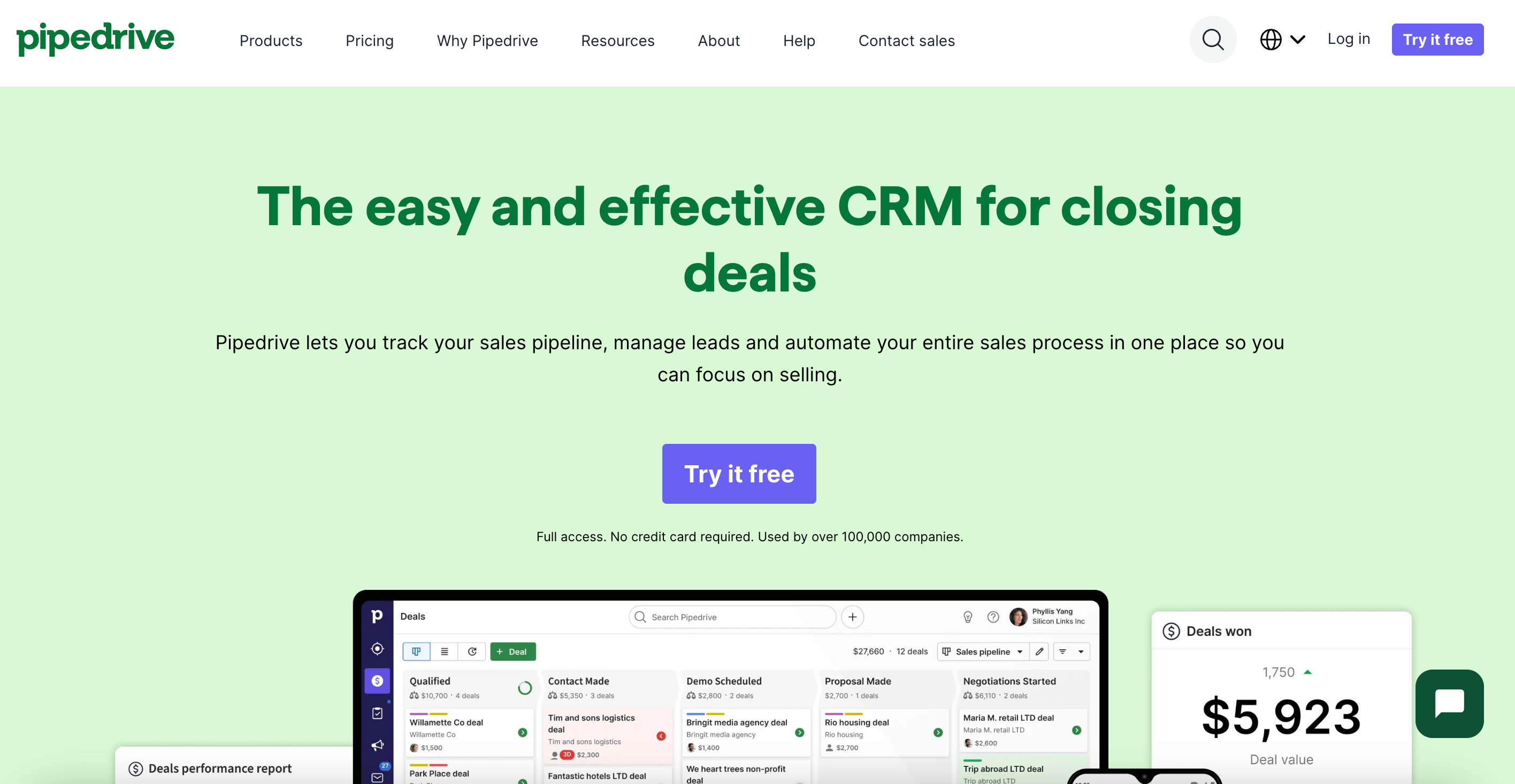
Pipedrive is a sales CRM platform built by salespeople for managing leads, deals, and pipeline activities. The platform uses visual Kanban-style boards for tracking deal progress across stages. The platform includes email sync, activity tracking, workflow automation, and AI-powered sales assistance. Pipedrive integrates with nearly 300 tools, such as Slack, Zoom, and Google Workspace.
Best for
Pipedrive is best for small to mid-sized sales teams that need visual pipeline management without enterprise complexity. Sales managers benefit from activity tracking and reporting features.
Pros and cons
The table below compares the pros and cons of Pipedrive.
Pricing
The pricing plans of Pipedrive are listed below.
- Lite: Costs $14 per month (billed yearly) and $19 per month (billed monthly).
- Growth: This plan is priced at $24 per month (billed annually) and $34 per month (billed monthly).
- Premium: Costs $49 per month (billed yearly) and $64 per month, which is billed monthly.
- Ultimate: The Ultimate plan is priced at $69 per month (billed annually) and $89 per month (billed monthly).
User reviews
Why I picked Pipedrive?
Pipedrive offers the most visual and intuitive pipeline management experience among CRM options. Small to mid-sized teams looking for affordable, direct CRM value the low learning curve.
HubSpot Sales Hub

HubSpot Sales Hub is an all-in-one CRM platform that simplifies sales prospecting, outreach, and pipeline management. The platform centralizes contact data so sales representatives have access to all prospect interactions from one dashboard. Important features include email sequences, lead scoring, meeting scheduling, and task automation.
Best for
HubSpot Sales Hub is best for small to mid-sized B2B sales teams that need CRM functionality combined with sales engagement tools. Marketing agencies and growing startups benefit from the free tier and scalable pricing structure.
Pros and cons
The pros and cons of HubSpot Sales Hub are compared in the table below.
Pricing
The pricing plans of HubSpot Sales Hub are discussed below.
- Professional: The Professional plan costs $100 per month per seat (billed annually) and $90 per month per seat (billed monthly).
- Enterprise: The pricing of this plan starts at $150 per month per seat.
User reviews
Why I picked HubSpot Sales Hub?
HubSpot Sales Hub offers a free CRM tier that scales with business growth. The platform unifies sales, marketing, and service data in one system. Teams benefit from fast onboarding and 1,500+ integrations.
See how BookYourData supports HubSpot users
Calendly

Calendly is a scheduling automation platform that removes back-and-forth emails for meeting coordination. The platform connects with Google Calendar, Outlook, and Office 365 to show real-time availability. Important features include automated reminders, time zone detection, and CRM integrations with Salesforce and HubSpot.
Best for
Calendly is best for sales teams to schedule discovery calls, demos, and follow-up meetings directly from email signatures or websites.
Pros and cons
The table below compares the pros and cons of Calendly.
Pricing
The pricing plans of Calendly are mentioned below.
- Free: The Free plan is always free and is for personal use.
- Standard: Costs $10 per month (billed yearly) and $12 per month (billed monthly).
- Teams: The Teams plan is priced at $16 per seat per month (billed annually) and $20 per month per seat (billed monthly).
- Enterprise: The pricing of Enterprise starts at $15k per year.
User reviews
Why I picked Calendly?
Calendly reduces meeting scheduling time and integrates with major CRMs and video conferencing tools. Sales teams book more meetings when prospects choose their own time slots.
RocketReach

RocketReach is a lead intelligence platform that provides verified contact information for sales prospecting. The database contains 700 million professional profiles and 60 million companies worldwide. RocketReach aggregates data from public sources, which include professional networks, company websites, and government databases.
Best for
RocketReach is best for sales teams to find email addresses, phone numbers, and social media profiles for decision-makers.
Pros and cons
The table below compares the pros and cons of RocketReach.
Pricing
RocketReach’s pricing plans are listed below.
- Essentials: Costs $49 per month or $27 per month when billed annually.
- Pro: The Pro plan is priced at $99 per month or $69 per month if billed yearly.
- Ultimate: Costs $209 per month or $175 per month for annual billing.
User reviews
Why I picked RocketReach?
RocketReach provides access to 700M+ professional profiles with strong email accuracy rates. The platform excels at finding personal email addresses when corporate emails bounce. Sales teams targeting hard-to-reach executives benefit from the depth of contact coverage.
See if RocketReach is a legit tool
Gong
Gong is a revenue intelligence platform that records, transcribes, and analyzes sales conversations using AI. The platform captures data from calls, emails, and meetings to deliver actionable insights for sales teams. Gong serves over 5,000 companies worldwide, which includes LinkedIn, Shopify, and Slack.
Best for
Gong is best for mid-market and enterprise sales teams to track deal progress and predict revenue with higher accuracy. The AI analyzes customer sentiment, objection patterns, and competitor mentions across all recorded interactions.
Pros and cons
The table below compares the pros and cons of Gong.
Pricing
Gong uses custom pricing based on team size and feature requirements. The platform does not publish fixed rates. The typical costs based on user reports and market analysis are listed below.
- The estimated annual platform fee is $5,000
- The annual user license cost is $16000 per user annually (standard tier)
- The one-time onboarding fee is approximately $7,500 for training and setup
- The total estimated first-year cost is $28,500
User reviews
Why I picked Gong?
I picked Gong because it captures and analyzes every sales conversation to reveal what top performers do differently. The platform turns call recordings into actionable coaching insights without manual review. Revenue teams focused on improving close rates benefit from AI-driven deal intelligence.
UpLead

UpLead is a B2B data provider that offers real-time verified emails, mobile numbers, and intent data. The platform provides access to over 160 million contacts across industries worldwide. The platform integrates with CRMs, such as Salesforce, HubSpot, Zoho, and Pipedrive.
Best for
UpLead is best for sales teams, marketers, and recruiters who need verified contact data at scale. Small to mid-sized businesses benefit from its affordable pricing compared to enterprise alternatives.
Pros and cons
Below is the comparison table of UpLead’s pros and cons.
Pricing
UpLead’s pricing plans are mentioned below.
- Free Trial: 7-day free trial and offers 5 credits.
- Essentials: This plan is priced at $99 per month for 170 credits, or $74 per month with 2040 credits when billed yearly.
- Plus: UpLead’s Plus plan costs $199 per month, which includes 400 credits, and $149 per month for 4,800 credits if billed yearly.
- Professional: This plan has custom pricing and custom credits.
User reviews
Why I picked UpLead?
UpLead offers a 95% data accuracy guarantee with real-time email verification before export. The platform provides transparent pay-as-you-go pricing without hidden fees, so teams that prioritize data quality over database size benefit from the verification-first approach.
See which one is a better option to choose, BookYourData or UpLead
Reply.io

Reply.io is an AI-powered sales engagement platform that automates multi-channel outreach across email, LinkedIn, calls, SMS, and WhatsApp. The platform features an AI SDR that handles prospecting, writes personalized messages, and books meetings automatically. Reply.io integrates with Salesforce, HubSpot, Pipedrive, Copper, and Close for CRM syncing.
Best For
Reply.io is best for SDR teams running high-volume outbound campaigns across multiple channels. Agencies offering lead generation services also use it for managing client outreach at scale.
Pros and cons
Below is the comparison table of Reply.io’s pros and cons.
Pricing
Reply.io's pricing plans are listed below.
Email Volume Plan: Starts at $59 per month for 1,000 active contacts.
Multichannel Plan: Costs $99 per user per month with 50 live data credits.
Agency Plan: Agency Core starts at $210 per month for unlimited clients and users, while Agency AI SDR costs $500 per user per month.
AI SDR: Priced at $800 per month for Starter plan and $2,500 per month for Growth plan for automated prospecting and meeting booking.
User Reviews
Why I picked Reply.io?
Reply.io combines AI-powered email writing with multi-channel sequences across email, LinkedIn, calls, and SMS. The platform automates follow-ups while maintaining personalization at scale. SDR teams running high-volume outreach benefit from the AI SDR feature that books meetings automatically.
Klenty
Klenty is a sales engagement platform that uses intent-based playbooks to prioritize prospects based on engagement signals. Klenty integrates with CRMs including Salesforce, HubSpot, Pipedrive, and Zoho. The platform offers a multi-mode dialer that allows representatives to make up to 5 simultaneous calls.
Best for
Klenty is best for outbound sales teams, SDRs, and B2B organizations that need multi-channel cadence automation. Small to mid-sized teams benefit from its competitive pricing compared to Outreach and Salesloft.
Pros and cons
Below is the comparison table of Klenty’s pros and cons.
Pricing
Klenty’s pricing plans are discussed below.
- Starter: Costs $50 per month (billed annually) and $60 per month (billed quarterly).
- Growth: This plan is priced at $70 per user per month (billed annually) and $85 per user per month (billed quarterly).
- Plus: Klenty’s Plus plan costs $99 per user per month (billed yearly) and $119 per user per month (billed quarterly).
User reviews
Why I picked Klenty?
Klenty delivers sales cadence automation with intent-based prospect routing. The platform moves prospects between sequences based on engagement signals without manual intervention. Outbound teams running structured multi-touch campaigns benefit from the behavior-triggered workflows.
BuiltWith

BuiltWith is a technology profiling and sales intelligence tool that tracks over 110,551 web technologies. The platform identifies which technologies websites use, which include e-commerce platforms, analytics tools, and hosting providers. The platform integrates with Salesforce, HubSpot, Zoho, and Close.io for CRM syncing.
Best for
BuiltWith is best for sales teams to find prospects based on their tech stack. Marketers also use it for competitive analysis and market research.
Pros and cons
The table below compares the pros and cons of BuiltWith.
Pricing
BuiltWith’s pricing plans are listed below.
- Basic: Costs $295 per month and $2950 annually.
- Pro: This plan is priced at $495 per month and $4950 yearly.
- Team: BuiltWith’s Team plan costs $995 and $9950 annually.
User reviews
Why I picked BuiltWith?
BuiltWith tracks 85,000+ web technologies across 673M+ websites to identify prospects by their tech stack. The platform reveals which companies use competitor products or specific tools. Sales teams selling to technical buyers benefit from technographic targeting that other databases lack.
What is sales prospecting?
Sales prospecting is the process of identifying, researching, and reaching out to potential customers who fit your ideal customer profile. The prospecting workflow includes four stages: research prospects using databases and LinkedIn, qualify leads based on fit criteria, reach out through email, phone, or social channels, and nurture relationships until they convert. Sales prospecting differs from inbound marketing because reps actively seek out buyers rather than waiting for them to come in.
Effective sales prospecting requires clear targeting criteria, verified contact data, and consistent outreach sequences. Sales teams track metrics including connection rates, response rates, and meetings booked to measure prospecting success. Modern prospecting combines automation tools with personalized messaging to reach more prospects without sacrificing relevance.
What is the difference between sales prospecting and lead generation?
Sales prospecting is active outreach, while lead generation attracts inbound interest. Prospecting involves sales reps directly contacting potential customers through cold calls, emails, and LinkedIn messages. Lead generation creates content, ads, and experiences that draw prospects to fill out forms and request information. Prospecting is one-to-one and rep-driven. Lead generation is one-to-many and marketing-driven. Both strategies work together to fill the sales pipeline.
What are sales prospecting tools?
Sales prospecting tools are software platforms that help sales teams find, qualify, and engage potential customers more efficiently. These tools provide contact databases, email verification, outreach automation, and engagement tracking. Sales prospecting tools reduce manual research time by providing verified emails, phone numbers, and company data. They automate repetitive tasks like follow-up sequences and track prospect engagement across channels.
Modern sales prospecting tools integrate with CRMs to sync data automatically and provide analytics on outreach performance. Some tools focus on specific functions like email finding or call recording, while others combine multiple features into all-in-one platforms. The best tool depends on your prospecting workflow and budget.
What are the types of sales prospecting tools?
The types of sales prospecting tools include B2B contact databases, LinkedIn prospecting tools, email outreach platforms, sales engagement platforms, CRM systems, meeting schedulers, and conversation intelligence tools.
The types of sales prospecting tools are listed below.
- B2B contact data providers: Lusha, BookYourData, ZoomInfo, Apollo.io, Cognism, UpLead
- LinkedIn prospecting tools: LinkedIn Sales Navigator, Kaspr, LeadIQ
- Email outreach platforms: Mailshake, Hunter.io, Snov.io, Saleshandy
- Sales engagement platforms: Outreach, Salesloft, Klenty, Reply.io
- CRM systems: Pipedrive, HubSpot Sales Hub
- Meeting schedulers: Calendly
- Conversation intelligence: Gong
What are the key features of sales prospecting tools?
The key features of sales prospecting tools include verified contact data, advanced search filters, Chrome browser extensions, CRM integration, email sequence automation, and analytics reporting.
The key features of sales prospecting tools are mentioned below.
- Verified contact data: Email addresses, phone numbers, and direct dials
- Advanced search filters: Industry, job title, company size, geography, technographics
- Chrome browser extensions: Extract data from LinkedIn and company websites
- CRM integration: Salesforce, HubSpot, Pipedrive sync
- Email sequence automation: Automated follow-ups and drip campaigns
- Real-time data verification: Email validation before export
- Intent data signals: Buyer behavior and research activity tracking
- GDPR/CCPA compliance: Data privacy and regulatory compliance
What are the benefits of using sales prospecting tools?
The benefits of using sales prospecting tools include reduced research time, higher quality leads, improved email deliverability, increased connect rates, and better ROI tracking.
The benefits of using sales prospecting tools are discussed below.
- Reduced research time: Up to 50% time savings on prospect research
- Higher quality leads: Verified data improves targeting accuracy
- Improved email deliverability: Real-time verification reduces bounce rates
- Increased connect rates: Accurate phone numbers improve calling success
- Faster pipeline building: Automation accelerates lead list creation
- Better personalization: Enriched data enables relevant messaging
- Better ROI tracking: Analytics measure outreach effectiveness
What are the challenges of using sales prospecting tools?
The challenges of using sales prospecting tools include data accuracy variation, subscription costs, learning curves, and over-automation risks.
The challenges of using sales prospecting tools are outlined below.
- Data accuracy varies: Different providers have different accuracy rates
- Subscription costs add up: Multiple tools increase total spend
- Steep learning curve: Complex platforms require training time
- Over-automation risks: Excessive automation hurts personalization
- LinkedIn restrictions: Automation can trigger account limits
- Data freshness limitations: Maintaining current data requires ongoing investment
Comparison table of benefits and challenges of using sales prospecting tools
How to choose the right sales prospecting tool for your business?
To choose the right sales prospecting tool for your business, consider your prospecting workflow, budget, data needs, integration requirements, and team size.
The factors to consider when choosing the right sales prospecting tool for your business are discussed below.
- Define your workflow: Identify whether you prioritize cold email, LinkedIn outreach, or phone calling.
- Budget considerations: Compare pay-as-you-go models like BookYourData versus monthly subscriptions.
- Data coverage requirements: Evaluate database size and regional coverage for your target markets.
- Integration needs: Verify compatibility with your existing CRM and sales tools.
- Team size and licenses: Calculate per-user costs and required seats.
- Compliance requirements: Ensure GDPR/CCPA compliance for your target regions.
How do I find prospects without buying data?
You can find prospects without buying data by using LinkedIn to search for professionals matching your ICP. Create content that attracts inbound leads through SEO and social media. Attend industry events and join online communities. Free tools like Hunter.io also provide limited monthly searches.
How accurate is B2B prospect data?
B2B prospect data accuracy varies by provider, where top platforms like BookYourData guarantee 97% accuracy with bounce refunds, and ZoomInfo offers 95% accuracy. Average providers deliver 70-85% accuracy for effective B2B prospecting. Data degrades 30% annually without verification, which makes real-time validation important.
Can I use LinkedIn automation tools safely?
Yes, you can use LinkedIn automation tools safely with proper precautions. Stay within LinkedIn's daily connection and message limits. Use tools with human-like delays and randomization. Avoid aggressive automation that triggers account restrictions. Tools like Kaspr and Sales Navigator comply with platform guidelines.
What is the best prospecting tool for cold email?
Mailshake and Saleshandy are among the best prospecting tools for cold email outreach. Both offer email warm-up, deliverability monitoring, and automated sequences. For email finding, Hunter.io and Snov.io provide verification features. Combine data tools like BookYourData with outreach platforms for best results.
What is intent data in prospecting?
Intent data reveals which companies are actively researching topics related to your product. Intent data providers like 6Sense and Bombora track anonymous buyer behavior across websites. Intent signals help prioritize accounts showing purchase readiness, and this data improves timing and relevance of outreach.
How many prospecting tools do I need?
You do not need many prospecting tools, and most teams require two to three, a contact database for lead data, an outreach platform for email sequences, and a CRM for pipeline management. All-in-one tools like Apollo.io or HubSpot reduce the need for multiple subscriptions.
Can AI be used for sales prospecting?
Yes, AI is used for sales prospecting in multiple ways, where AI SDRs like Reply.io handle outreach and booking autonomously, while predictive analytics identify high-value accounts. AI writes personalized email content at scale, and conversation intelligence tools analyze calls for coaching insights.
Can prospecting tools replace SDRs?
No, prospecting tools cannot fully replace SDRs (Sales Development Representatives), as these tools automate research, data gathering, and initial outreach sequences. Human SDRs handle complex conversations, relationship building, and qualification. The best approach combines tool efficiency with human judgment and personalization.
What is the ROI of sales prospecting tools?
Sales prospecting tools deliver measurable ROI, where teams report a 50% reduction in research time and 73% faster deal cycles with the right tools, as reported by McKinsey. Verified data reduces wasted outreach to bad contacts. Track metrics including cost per lead, meetings booked, and pipeline value to measure returns.
[CTA1]